Customer requests from intake to resolution
Log a customer request, and follow it from team to outcome
A B2B manufacturer whose customer requests (samples, defects, service, technical questions) each pass through several teams set up a flow that links every request to the customer and deal the moment it arrives, and keeps team assignment, approval and outcome on one record.
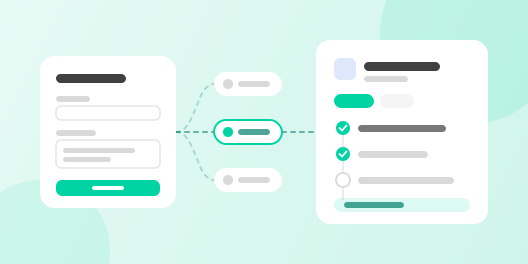
The problem
- 01
Requests relayed team by team
Reps forwarded requests that came in by email and phone to R&D, quality and service one by one, and customer follow-up slipped.
- 02
Approvals stuck somewhere unknown
To learn who was holding a free-sample or service-cost approval, reps had to ask again, so they could not give the customer a date.
- 03
Outcomes missing from sales records
Outcomes lived in team inboxes, so when a customer asked at the next meeting, reps had to dig them up again.
How Trackit solves it
- 1
Customers submit the request form
A contact at the customer fills in the request web form with their company domain and the request, and a customer request record is created. Requests taken by phone go through the same form, entered by the rep. Record creation starts the workflow.
- 2
The workflow sorts the request and fills in customer, deal and team
An AI prompt reads the request, picks a type (sample, defect, service or technical question) and sums it up in a line. A create-or-update block finds the company by domain, and a find-records block finds its open deal. Switch picks the team for the type, an update-record block writes these values onto the request, and a create-task block sends the team owner a task and notification.
- 3
Approval and outcome build up on the same request, and the rep is told
When the team owner sets the status to Awaiting approval, an HTTP request files it through your groupware’s approval API, and the result comes back by webhook onto the same request. When the team writes the outcome and sets the status to Done, the outcome is saved as a note on the deal and the rep gets a task. The approval link works when your groupware exposes an API and webhooks.
- TriggerRecord createdA web form request becomes a record.
- AIAI promptReads the request and picks a type.
- ActionSwitchPicks the team for that type.
- ResultUpdate record · Create taskFills customer and team, sends a task.
- ResultHTTP requestFiles an approval in the groupware if needed.
 Aseong Kim

 Dohyun Park
What changed
Before Trackit
With Trackit
More use cases
 CS team with heavy inquiry volume
Claim records from customer photos
AI reads product and on-site photos sent through a web form, fills in the claim record and links it to the customer and an owner.
 Mid-size manufacturer sales team
Groupware approval and ERP integration
A stage change files an approval in your groupware over HTTP, and the result and ERP orders and sales land on the deal.
 Manufacturer with a dealer network
Dealer discount requests and HQ approval
Each dealer sees only its own data, and discount requests and HQ answers stay on the deal.