Hospital beds and doctors from a name
Enter the hospital name, and beds and doctors fill in
A sales team selling medical devices and drugs to hospitals worked with the Trackit team on a flow where entering a hospital name is all it takes to get bed counts, doctor counts and the address on the record.
The problem
- 01
Numbers copied by hand for every hospital
For each new hospital, reps looked up beds and doctors on public data sites and typed them in field by field.
- 02
Revenue and headcount say little about a hospital
Standard company data could not show hospital size, so university hospitals and small clinics got the same priority.
- 03
A different source for every rep
Numbers depended on who copied them, when and from where, so hospitals could not be compared side by side.
How Trackit solves it
- 1
Type the hospital name and pick it from the list
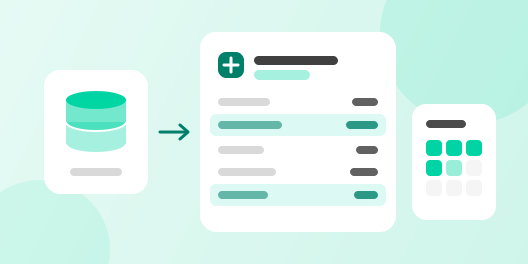
Type a name in the hospital field of the record, and matching hospitals show up in a list. Picking one is all the rep does. No looking up addresses or numbers.
- 2
Filled from a hospital database the Trackit team built
Trackit fills in company data such as revenue and headcount from a company name or domain. For teams that sell to hospitals, the Trackit team collects national public hospital data into a separate hospital database. Picking a hospital fills in its doctors, beds and address from that database.
- 3
Beds and doctors stay as number fields
The filled values are number fields on the record, so the list can be sorted by bed count or filtered to hospitals above a given size. Every hospital is filled from the same public data, so they compare side by side.
- TriggerHospital nameType the name and pick it from the list.
- ActionHospital databaseLooks it up in a database built from public data.
- ResultDoctor countsFills medical and dental doctors by level.
- ResultBeds and addressFills beds by type, the address and departments.
 Jiwon Kim
What changed
Before Trackit
With Trackit
More use cases
 Consulting sales team
Meeting notes from recordings
Meeting recordings become text, and an agent leaves a summary and next steps.
 B2B SaaS
Routing leads to owners by score
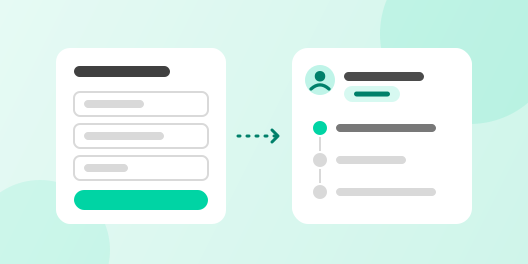
An agent scores leads from web forms and the meeting scheduler, then hands each to an owner on the matching team with a call request or a first email.
 B2B sales team that meets customers in person
Contacts from business card photos
Reads name, company, title and contact details from a card photo, registers the company and contact, and logs the meeting and follow-up.